
Donating to KODI. As you might know, your donations help KODI deliver a great media center experience with Kodi.
TiVo Stream 4K
The Android TV-powered TiVo Stream 4K was originally expected to launch with a $50 promotional pricing this April. It offers an Android TV experience that’s all about live TV and also uses some changes to Android TV than we’d usually see, including a proper channel surfing experience.
Originally, TiVo announced the Stream 4K to arrive in April 2020, but that date has come and gone. Speaking to TVTechnology recently (via ZatzNotFunny), TiVo confirmed the Stream 4K would be at least slightly delayed, set to arrive “in the next few weeks”.
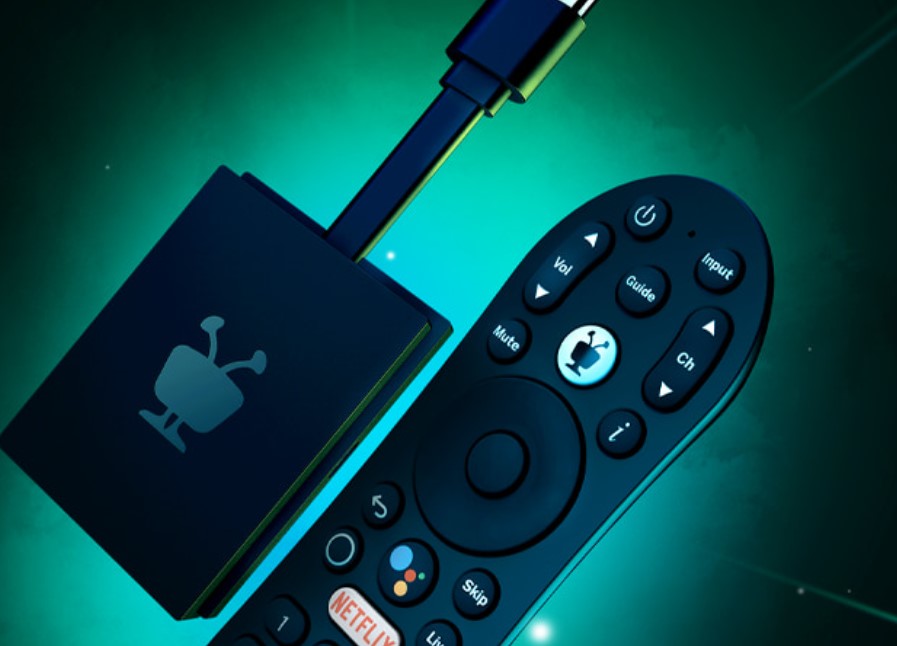
While it is possible this could be related to coronavirus production issues that also other companies have faced this period, TiVo hasn’t released any further information. In any case, here at Dimitrology.com we’re still pretty excited to test out this new Android TV dongle for ourselves. We’ll keep you updated on when it’s officially released.
Canon DSLR As A Webcam
Now you can use your Canon DSLR as a webcam with a USB cable connected to your Windows 10 computer! No need for a capture card anymore, like the Elgato Camlink or the Elgato Capture HD60 S. With the simplicity of a utility, the Canon EOS Webcam Utility you can transform your Canon DSLR into a high-quality webcam!
EOS Webcam Utility
The EOS Webcam Utility is still in beta as of right now but it works wonders! The quality is great, just make sure to use a USB 3.0 port without a hub as I did in this video. I only did this because I didn’t have such a long cable at the time.
Download Link
Download the Canon EOS Webcam Utility here: https://www.usa.canon.com/internet/portal/us/home/support/self-help-center/eos-webcam-utility/
Note: At the moment the EOS Webcam Utility is only available on the Canon USA website.
Video Tutorial Canon DSLR into Webcam
For a full tutorial on how to get and install the EOS Webcam Utility from Canon and how to use it in order to make your Canon camera into a webcam watch the following video:
Subscribe For More: https://goo.gl/hDiwEg
Dimitrology Youtube Channel: https://goo.gl/dbo6IL
Android TV Box / Streaming devices:
Recommended TV Boxes: http://wp.me/p6WCol-mz
Recommended Remotes: http://bit.ly/2akQuTR
Best Value/Money Gamepad: http://bit.ly/2a0scxA
My recommendations for 100% secure VPN are:
IP Vanish http://bit.ly/1PowS0r
Private Internet Access http://bit.ly/2a2H5gW
My Setup:
https://kit.co/dimitrology/my-setup
Contact Me:
Twitter – https://twitter.com/dimitrology
Facebook – https://www.facebook.com/dimitrology/
Instagram – https://www.instagram.com/dimitrology/
Reddit – https://www.reddit.com/r/dimitrology/
Email – [email protected]
Website – https://dimitrology.com
The above is a tutorial on how to Use Your Canon DSLR As A Webcam With Just A USB Cable – No Capture Card Needed
[youtube https://www.youtube.com/watch?v=BIfRXLpl9XI&w=580&h=385]
Use Your Canon DSLR As A Webcam With A USB Cable – No Capture Card Needed
Now you can use your Canon DSLR as a webcam with a USB cable connected to your Windows 10 computer! No need for a capture card anymore, like the Elgato Camlink or the Elgato Capture HD60 S. With the simplicity of a utility, the Canon EOS Webcam Utility you can transform your Canon DSLR into a high-quality webcam!
The EOS Webcam Utility is still in beta as of right now but it works wonders! The quality is great, just make sure to use a USB 3.0 port without a hub as I did in this video. I only did this because I didn’t have such a long cable at the time.
Download the Canon EOS Webcam Utility here: https://www.usa.canon.com/internet/portal/us/home/support/self-help-center/eos-webcam-utility/
Note: At the moment the EOS Webcam Utility is only available on the Canon USA website.
#canon #webcam #dslr
Subscribe For More: https://goo.gl/hDiwEg
Dimitrology Youtube Channel: https://goo.gl/dbo6IL
Android TV Box / Streaming devices:
Recommended TV Boxes: http://wp.me/p6WCol-mz
Recommended Remotes: http://bit.ly/2akQuTR
Best Value/Money Gamepad: http://bit.ly/2a0scxA
My recommendations for 100% secure VPN are:
IP Vanish http://bit.ly/1PowS0r
Private Internet Access http://bit.ly/2a2H5gW
My Setup:
https://kit.co/dimitrology/my-setup
Contact Me:
Twitter – https://twitter.com/dimitrology
Facebook – https://www.facebook.com/dimitrology/
Instagram – https://www.instagram.com/dimitrology/
Reddit – https://www.reddit.com/r/dimitrology/
Email – [email protected]
Website – https://dimitrology.com
This video is a tutorial of how to Use Your Canon DSLR As A Webcam With Just A USB Cable – No Capture Card Needed
https://youtu.be/BIfRXLpl9XI
https://youtu.be/BIfRXLpl9XI
source
Amazon Prime Day 2020 Date
The Amazon Prime Day 2020 this summer will no longer be holding at the usual time — at least according to one report. The Prime Day event usually takes place in the middle of July.
But which is Prime Day 2020 Date? The beloved shopping event will be pushed back until at least August, according to notes from an internal meeting obtained by Reuters. The major shopping event was started in 2015. Even though it generally occurs each July, this year rumours had it happening around the end of June 2020. All that of course, before the pandemic occurred.
Potential Loss
The online shopping giant expects a potential $100 million loss from excess devices that it might now sell at a discount. That’s according to internal meeting notes seen, as Reuters reported. The news agency mentioned that “5 million extra devices that Amazon would have sold during Prime Day, such as its suite of voice-controlled Echo speakers”.
“We probably have to promote sooner, which will be difficult if we’re capacity constrained,” Amazon General Counsel David Zapolsky wrote in notes from a daily meeting of Amazon executives.
The postponement od the Amazon Prime Day 2020 Date would mark a major shift by Amazon to address the economic effects of the Covid 19 Novel coronavirus pandemic.

Prime Day Revenue
Amazon does not disclose revenue from Prime Day but it is known that merchants contributed to $2 billion in sales during Prime Day in 2019, which lasts for 48 hours and over 18 countries worldwide. Promotions for Amazon’s members, Prime Membership, have also proven an effective way for the company to draw more people, In fact, during Prime Day a lot of people become members, at $119 per year in the United States.
Dimitrology On Amazon
Just a reminder, also available on Amazon you can find the Dimitrology Shop. There is a selection of the devices I personally tested, use and highly recommend.
Nubia Red Magic 5G
Nubia Red Magic 5G Review: the gamer’s phone in 2020! It is finally available to buy, perhaps the best gaming smartphone you can buy at a very competitive price. Starting from $579 / €579 for the 8GB / 128GB version, the RedMagic 5G is a great value for money. Sporting all the flagship devices specs, inside a unique and sportive hood, it’s a gamer’s dream. And you can enhance your gaming experience even more with some Red Magic 5G exclusives like the Pro Handle and the Magic Adapter for the RedMagic 5G.
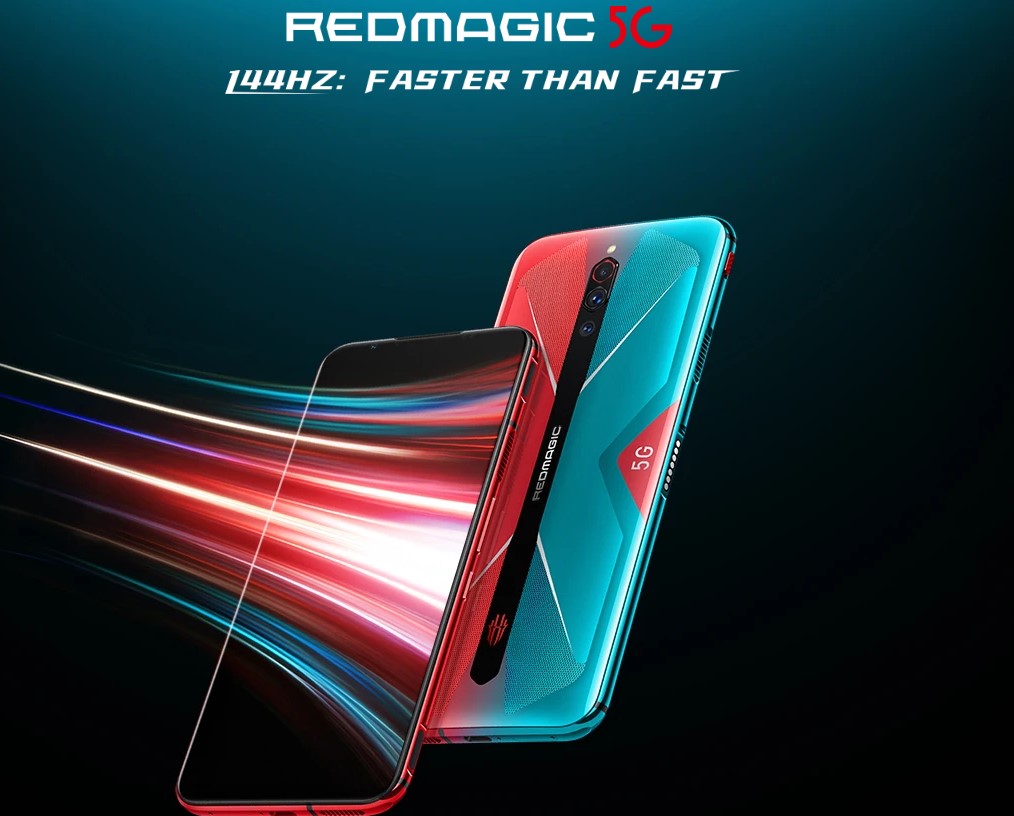
Nubia Red Magic 5G Specs
- Dimensions: 168.56mm x 78mm x9.75mm
- Weight: 208gr
- Screen: 6.65-inch FHD+ AMOLED screen with a 144Hz refresh rate
- Resolution: 1080X2340, 387.5ppi
- Aspect ratio: 19.5:9
- Processor: Qualcomm Snapdragon 865 5G octa-core 2.84GHz CPU
- GPU: Adreno ™ 650
- RAM: 8GB or 12GB of RAM LPDDR5
- Storage: 128GB or 256GB UFS3.0 internal memory, which is expandable
- Rear cameras: 64-megapixel wide, 8-megapixel ultra-wide, 2-megapixel macro rear cameras
- Front camera: 8-megapixel camera
- Operating system: Android 10 OS (Red Magic 3.0)
- Water resistance: No
- Security: In-display fingerprint sensor
- Sensors: Gravity / Fingerprint / Compass / Gyro / Proximity / Ambient light
- Network Connectivity: 5G: NR n41/n78, 2G+3G+4G, GSM 2/3/5/8, WCDMA B1/2/4/5/8/19, CDMA/EVDO BC0/BC1, TD-LTE B34/B38/39/40/41, FDD-LTE B1/B2/B3/B4/B5/B7/B8/B20/B12/B17/B18/B19/B26
- WiFi: WiFi 6 2×2 MIMO
- Bluetooth: Bluetooth 5.1
- NFC: Yes
- HDMI: Yes
- 3.5mm Audio Jack
- Dual SIM: Yes
- Battery: 4,500 mAh, which can last a day and a half, depending on usage
- Charging tech: Fast charging up to 55W, 18W charger included
- Warranty: 1-year
- Available colors: Eclipse Black / Hot Rod Red / Pulse.
Design & Build Quality
With a metal frame and a glass back, the phone is very nicely built and pleasing to the hand. The robust quality gives not only confidence but also a great grip. The front is occupied by the gorgeous display, meanwhile, the sportive back also houses the exhausts of the speed fan. This last one can go up to 15.000 rpm when needed for an incredibly cool performance even after hours of playing. Also, it is RGB illuminated for a more aggressive character but it can easily be turned off by the pressing of a toggle.
Performance
The customized version of Android 10, the Red Magic 3.0, comes with no bloatware and without any ugly custom icons. It seems like a pure Android version with the tweaks of course by RedMagic. Neo AI, Colorful Light Effects, Cooling Fan, Gaming Dock, and Navigation Buttons & Gestures are just some of them. On GeekBench the Red Magic 5G gets a brilliant 940 Single-Core Score and 3246 Multi-Core Score and more than 592000 on Antutu. The default refresh rate of the display is at 90Hz and of course, you can maximize to 144Hz or just use it at 60Hz for more battery-friendly settings. This is a global refresh rate so can have it on everything, not only inside games but also on any app and system.
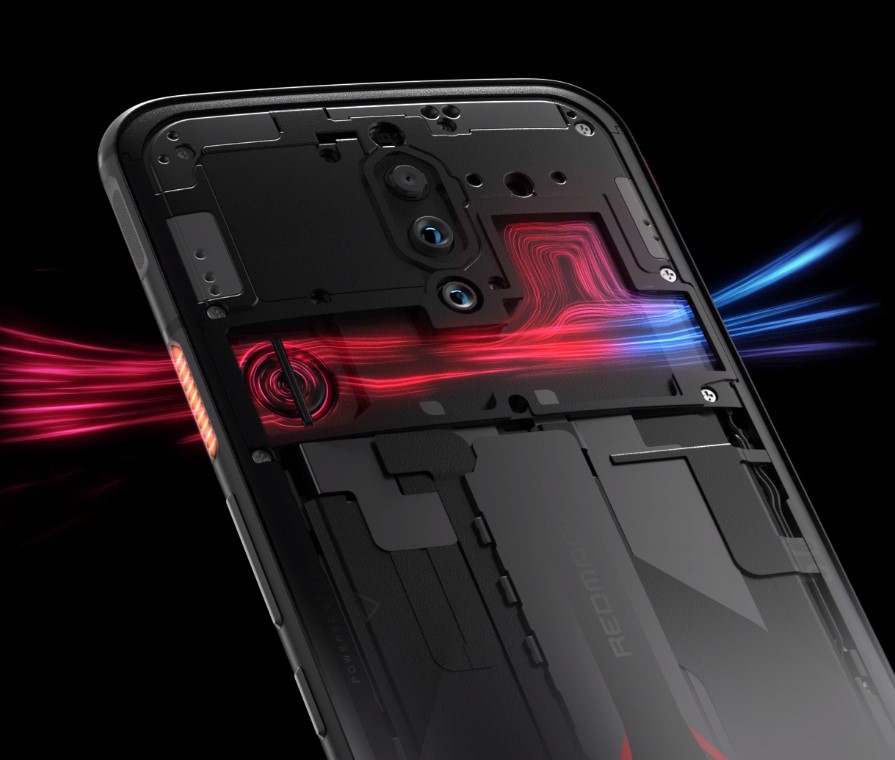
Heat Dissipation
With the speed fan on you will never get over 60C which is dropping the temperature from 75C when the fan is turned off. That is an amazing gain and makes the job done exactly as advertised so great job Red Magic! When the fan is on you can hear the silent noise coming out of it but nothing that will give you any annoyances. Also, it comes on automatically if selected, just when gaming in order to push the CPU and GPU to the max without any throttling issues.
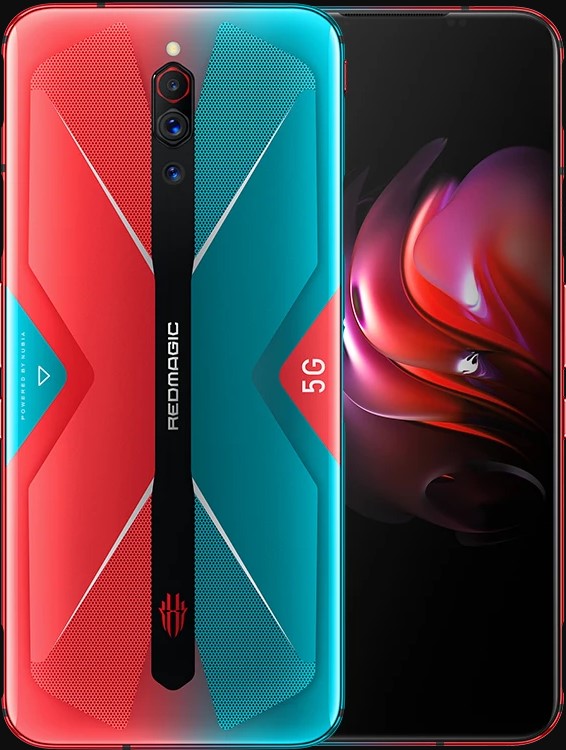
Camera
The front face camera is an 8MP f2.0 and it supports video up to 1080p at 30fps. On the back, we find 3 lenses: The main 64MP with f1.8 26mm wide with EIS, an 8MP f2.0 13mm ultrawide camera and a macro lens of 2MP. The video camera supports up to 4K at 15 fps, 4K at 60/30 fps and 1800p 240/120/60/30 fps.
Battery Life
The 4500mAh battery is a huge battery but of course, it is also needed since this is a gaming smartphone and especially at 144Hz. When you do not game, I would suggest you use at 90Hz which is the sweet spot in my opinion on the “normal” usage for a brilliant experience and battery performance too. This is also something we do not find in a lot of phones, the ability to switch among different refresh settings in various scenarios. Thankfully RedMagic thought of this and users will love it.
Red Magic 5G Final Thoughts
There is not a lot to say. This is the phone to get if you are serious about gaming and want the most bang for the buck in a phone. I highly doubt that you can find specs and performance in this price range. The Red Magic 5G, other than being one of the most affordable 5G phones right now, it is also an amazing value for money. Beastly performance at a low price! You can buy the Red Magic 5G with no shipping charges from https://dimitrology.com/recommends/redmagic-5g/.
[youtube https://www.youtube.com/watch?v=o_UdcOe1O_A&w=580&h=385]
Live Stream In the Times Of Quarantine #StayHome
Live Stream in the times of this pandemic, stay home and stay safe guys & girls!
Subscribe For More: https://goo.gl/hDiwEg
Dimitrology Youtube Channel: https://goo.gl/dbo6IL
Android TV Box / Streaming devices:
Recommended TV Boxes: http://wp.me/p6WCol-mz
Recommended Remotes: http://bit.ly/2akQuTR
Best Value/Money Gamepad: http://bit.ly/2a0scxA
My recommendations for 100% secure VPN are:
IP Vanish http://bit.ly/1PowS0r
Private Internet Access http://bit.ly/2a2H5gW
My Setup:
https://kit.co/dimitrology/my-setup
Contact Me:
Twitter – https://twitter.com/dimitrology
Facebook – https://www.facebook.com/dimitrology/
Instagram – https://www.instagram.com/dimitrology/
Reddit – https://www.reddit.com/r/dimitrology/
Email – [email protected]
Website – https://dimitrology.com
source
VPN Exclusive Coupon
The best deal for a premium VPN service comes from Ivacy and in collaboration with Dimitrology.com by using the exclusive coupon DIMI, you can now get for just $65 for a 5 year premium VPN service with them! Ivacy is secure VPN service with some great features for a super affordable price! They have already an offer that for the 5 year plan, instead of paying $9.95 a month, you will pay $1.50 a month. But with the coupon DIMI when applied you will get it for as low as $1.08 a month, for a total of $65 for the whole 5 years (instead of $90 that the offer gives you).
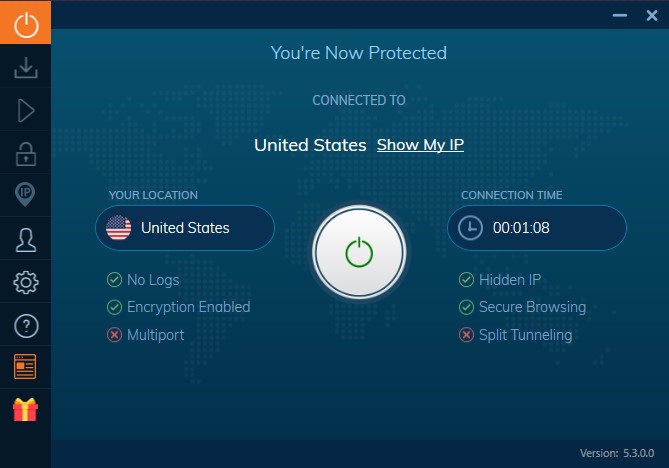
What Ivacy VPN Offer Includes
- 5 Devices Simultaneous Logins
- Malware Protection
- Advanced IPsec & IKEV Protocols
- Smart Connect Feature
- Unlimited Bandwidth
- Military Grade 256-Bit Encryption
- No Browsing Logs Policy
- Internet Kill Switch
- High Speed Downloading
- 1000+ Servers in 100+ Locations
- P2P Support
- Dedicated Kodi App
Compatible Devices
In other words you can protect up to 5 devices simultaneously and all of that with the easiness of their application which is available for Windows, Android, iOS (iPhone & iPad) and Mac devices. Other than the dedicated app you can setup Ivacy on almost any device: Linux, Raspberry, Chrome, XBOX. Also on internet browser like Chrome, Edge and Firefox.
Streaming Netflix VPN With Ivacy
Another great feature is that you can access otherwise blocked content in your country, directly from their panel. No need to search for the best working VPN server for each service. Simply select the streaming service you want like Netflix, HULU, HBO, BT Sport, Fox Sports, BBC, ITV, etc and the Ivacy app will handle everything for you. So no geo-restrictions what so ever, access everything from everywhere in the world.
VPN FOR KODI
And yes, Ivacy is also working with KODI. And in case you have a different device that doesn’t support the plethora above, like an OpenElec or an LibreElec device, no worries. There is also a KODI addon for Ivacy VPN. You need a subscription and then download and setup the KODI addon. Now you will be anonymous and without geo-restrictions also on KODI devices (including Raspberry, Khadas).
In order to get the super-low price, visit the link https://dimitrology.com/recommends/ivacy/ and after selecting the payment method, add the coupon DIMI in the specific box.


4K Ultra HD and HD only on selected devices
If Netflix is your main streaming application and you want a new tv box, then you will find that not a lot of devices are Netflix certified. What does that mean? That essentially Netflix is only allowing certain devices to stream on their best 4K UHD / HD quality. I’ve had that discussion hundred of times, from friends that want the best quality for their streaming experience. Since they got that Netflix 4K Ultra HD subscription they also wanted the best TV Box for Netflix in HD. Unfortunately, not all devices actually support Netflix in 4K UHD / HD. Some devices will only play movies and tv shows from Netflix at SD quality, which is 480p and of course, the disappointment is big! And do not get me wrong, a lot of great devices may do that too as excellent Android smartphones and tablets.
Netflix 4K Ultra HD and HD certified devices list
Below you will find the list with the supported devices for Netflix, thus the Best TV Box / Media Streamer for Netflix on 2020:
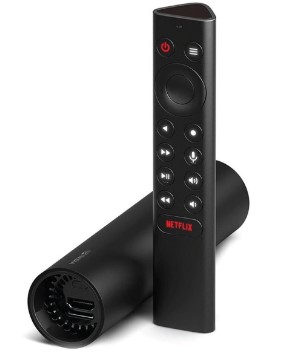
Nvidia Shield TV (2019)
The “budget” Nvidia Shield TV (2019), or else called the Nvidia Shield “Tube” because of its design. This is the entry-level by Nvidia into the magical world of Android TV. Google Assistant, Alexa, for no hands control. And GeForce NOW game streaming, 4K HDR video streaming, Dolby Atmos audio in such a compact and unique device. Performance is still great although if you want to game too, I would opt for the bigger brother, the Nvidia Shield TV PRO. Great remote control with voice command, same as the Pro version. Get it from Amazon here.
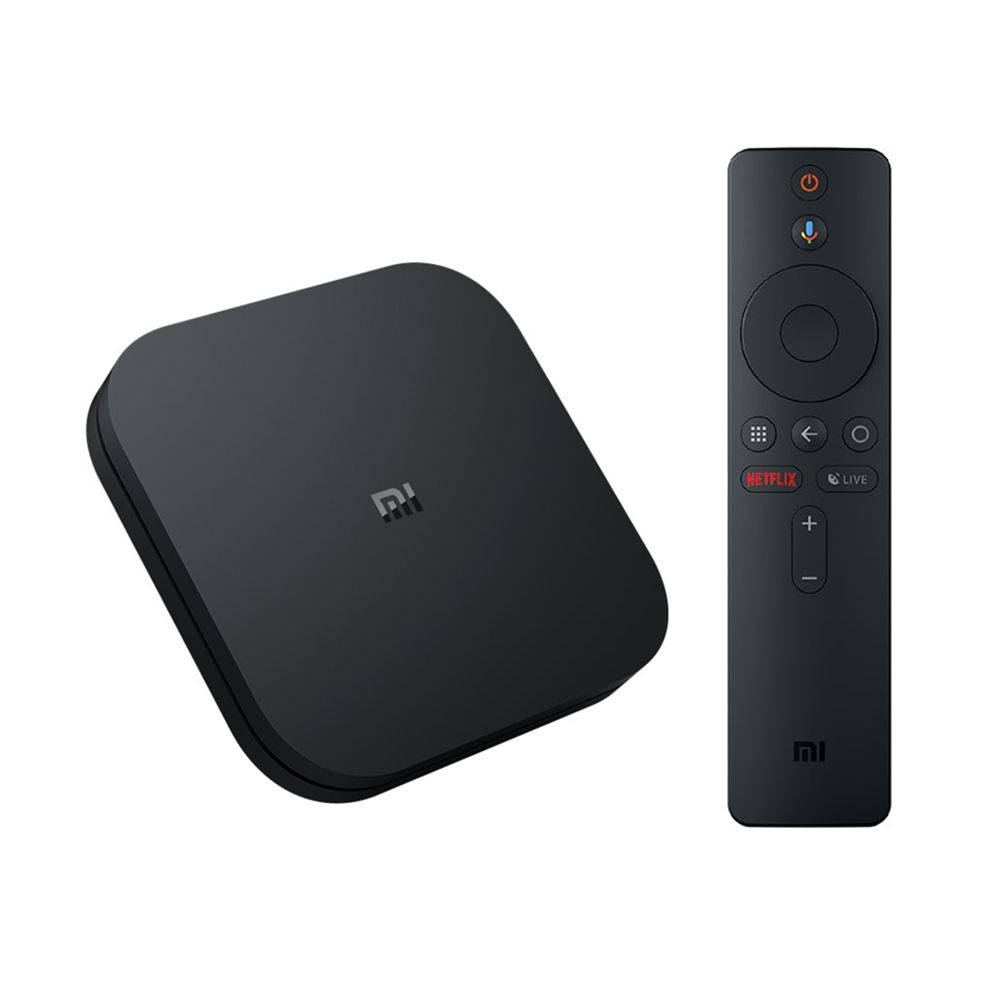
Xiaomi Mi Box S
The updated version of the Xiaomi Mi Box S is not the most powerful device in the market, yet it will amaze you with great 4K HDR streaming capabilities. As it is an Android TV device, come with Google Cast (Chromecast) built-in in almost at the same price! The limit in connectivity may not be a deal-breaker for users that mostly want to stream Netflix in 4K since it comes with a strong and fast WiFi. The just 8 GB of internal storage is more than enough so you can stream without any issues while installing some other applications too. The Xiaomi Mi Box S is a great value for money! Get it from Amazon here (US) or from Gearbest (EU).
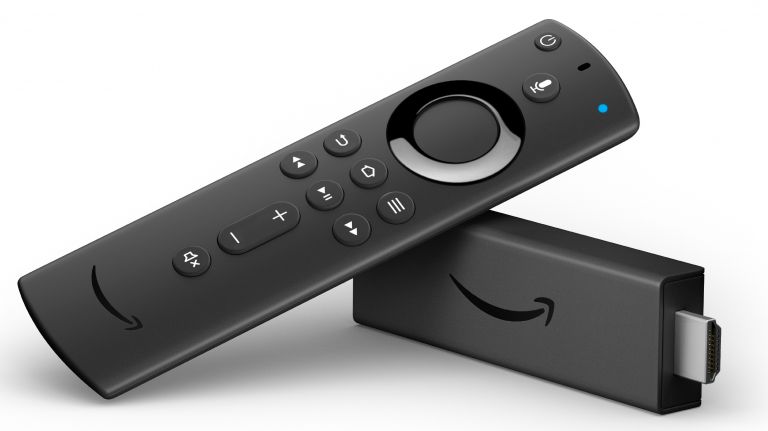
Fire TV Stick 4K
The Amazon Fire TV Stick 4K “Firestick” is a very loved device by a lot of people. Mostly because of its super compact size and easiness of use. Also lacks any basic connectivity but hey, it comes with a super-low price. Great remote and full integration with Amazon’s Alexa as expected. Lacks the Android TV Store by Google and while Amazons App Store is great, you will not find everything there. On the positive, it is also fantastic for Amazon’s Prime Video, of course, if you have a subscription. Get from Amazon here.
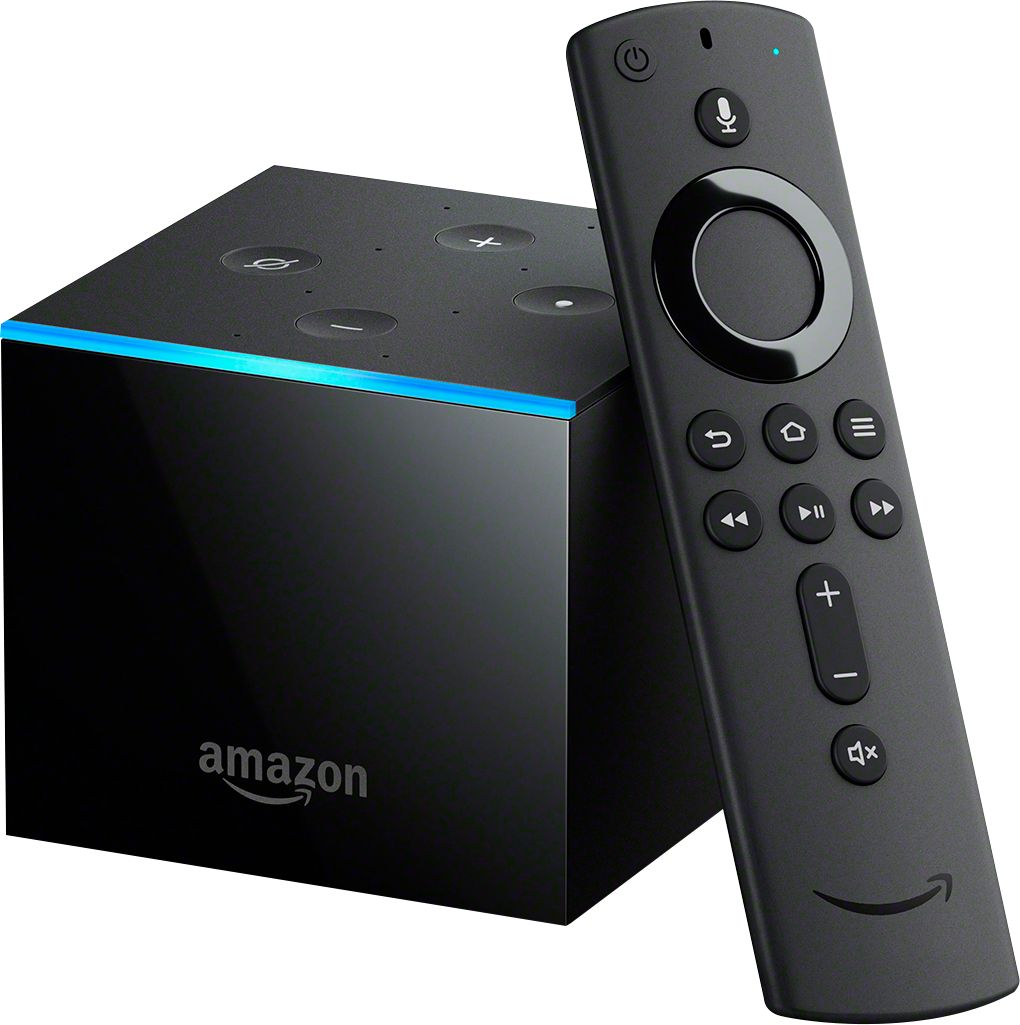
Fire TV Cube
Always from Amazon, the Fire TV Cube was a big gamble that got a great reception. More powerful than the Firestick, is capable of more things, Like 4K HDR10+ streaming, acts as an Alexa speaker so you voice control your devices. Also a more powerful six-core CPU and 16 GB of storage. If Amazon is your kind of stuff, the Cube is the best solution for you. Link on Amazon in order to get one here.
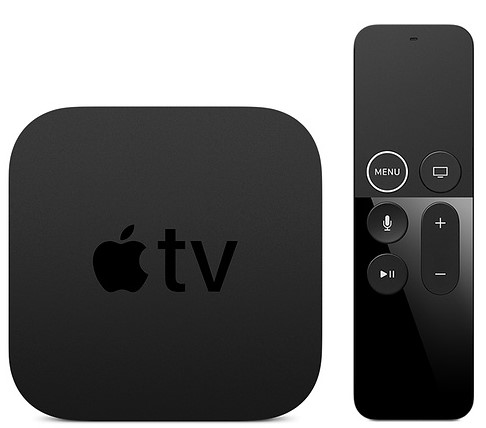
Apple TV 4K
The Apple TV 4K is not only great for Apple TV+ but also for Netflix. It is a very powerful device that is somehow neglected by the brand based in Cupertino. Not that many apps and games in the App Store but Netflix on this device is rock solid! The remote is like a joke, at times super annoying – at times great. That’s in most cases you will not really love it for Netflix since it is kind of a pain advancing video with it. Audio is also amazing with the Apple TV 4K. But when we talk about connectivity bottoms with other devices, Apple TV 4K is the champion by far. There is only a port for Ethernet, apart from the HDMI and the power cable port. Get it from Apple.
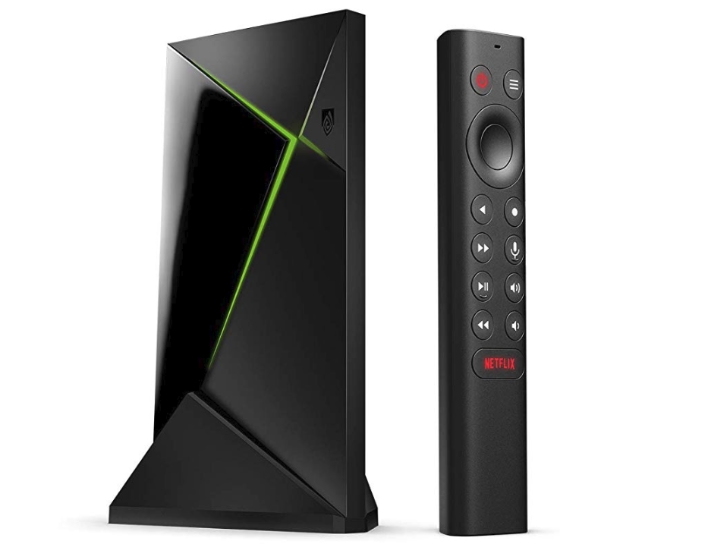
Nvidia Shield TV Pro
The new Nvidia Shield TV PRO is the updated version of the already amazing device by Nvidia, the Shield TV 2017, the champ of the streaming devices. Being already more powerful than any other device, they decided to keep it exactly the same. If not a little worse to be honest. But still, it is the best out there and now comes with a great new feature. The AI upscaling that can use artificial intelligence so it can upscale the quality of a Full HD 1080p video to 4K Ultra HD. It may sound science fiction but it really works great! Lacks of a dedicated audio port, you can only use the HDMI port for audio. Link on Amazon for purchase here.
The Best For Netflix 4K UHD / HD
As you can see, there are a lot of devices that support Netflix 4K UHD / HD and for different budgets. While some have better specs, or more storage or even some special functions, one thing is the same on all of them. They all stream Netflix in a superb way!
Not Only Netflix
Don’t Care About Netflix in 4K UHD / HD? Then visit the dedicated page with the Best TV Box 2020 Edition, in order to help you select which is the best for you.
Covid19 Internet Blackout
Netflix and YouTube have both taken actions in order to help with a possible covid19 internet blackout in Europe. It seems that while staying at home it is the best action we can take in order to protect ourselves and our health system from the Covid19, coronavirus 2019 pandemic, internet is suffering because of an unprecedented high in volume traffic. A lot of people watch Netflix and YouTube, which let’s face it, it’s a great way to distract ourselves and spent an enjoyable time while confined to home.
Covid19 Internet Traffic Impact
It is calculated that the impact on the internet traffic has been increased by 60% due to the novel coronavirus. And since Europe is right now the epicenter of this pandemic, it’s the first to suffer from this as well. Of course such an increase, or even bigger, is also expected in the USA because of the pandemic.
Netflix First To Respond For Covid19 Internet Blackout

Netflix responded quickly to the urge by the European Union, in order to help internet functioning normally and in order to avoid any blackouts by reducing by 25% the bandwidth of their streaming services. That is not by cutting any content from it’s huge library but by reducing the bitrate of the actual stream. This change should not affect the overall quality, at least to most users. Netflix will automatically detect which quality settings are recommended for you. Then will try to match it as better as possible. That is of course already happening. Netflix is streaming in quality according to your internet speed, but this move will take it a step further. Personally I haven’t had a bad experience with the service, the video and audio quality seems great as always. This action by Netflix will last for the next 30 days in the European Union.
YouTube Taking Action Against Covid19 Internet Blackout

Also YouTube responded but with a different approach. For all european viewers at the moment the default, suggested quality is in SD. Although as YouTube mentioned, they only some some peaks, nothing really that noticeable, they’ve decided to do something anyway. “We are making a commitment to temporarily switch all traffic in the EU to standard definition by default” YouTube EU said in a statement. Of course the user have still the option to change the quality of the stream but nevertheless that seems to already have made a big difference.
European Union Initiative
Earlier this week, EU industry chief Thierry Breton urged streaming platforms to cut the quality of their videos to prevent internet overload. And as we all know, video streaming services account for a substantial part of internet traffic data. On his Twitter account:
I welcome the very prompt action that #Netflix has taken to preserve the smooth functioning of the Internet during the #COVID19 crisis while maintaining a good experience for users 👇🏻🍿📺
— Thierry Breton (@ThierryBreton) March 20, 2020
CEO @reedhastings demonstrates a strong sense of #responsibilityhttps://t.co/FE2gUgIFuU
I warmly 👍🏻 the initiative that #Google takes to preserve the smooth functioning of the Internet during the #COVID19 crisis by having #YouTube switch all 🇪🇺 traffic to SD by default. @sundarpichai and @SusanWojcicki demonstrate strong responsibility.https://t.co/jMNhFFpsxa
— Thierry Breton (@ThierryBreton) March 20, 2020
EU ISPs Internet Spikes
A lot of internet service providers across Europe have already noticed a spike on their services bandwidth. Some countries, like Luxemburg urge their companies to avoid video confecering and opt for the less bandwidth-hungry audio conference instead. For now, everything seems under control and this is just a precaution so we can avoid a Covid19 internet blackout.