
Nuvio App Review: Everything You Need to Know About the Next-Gen Media Player
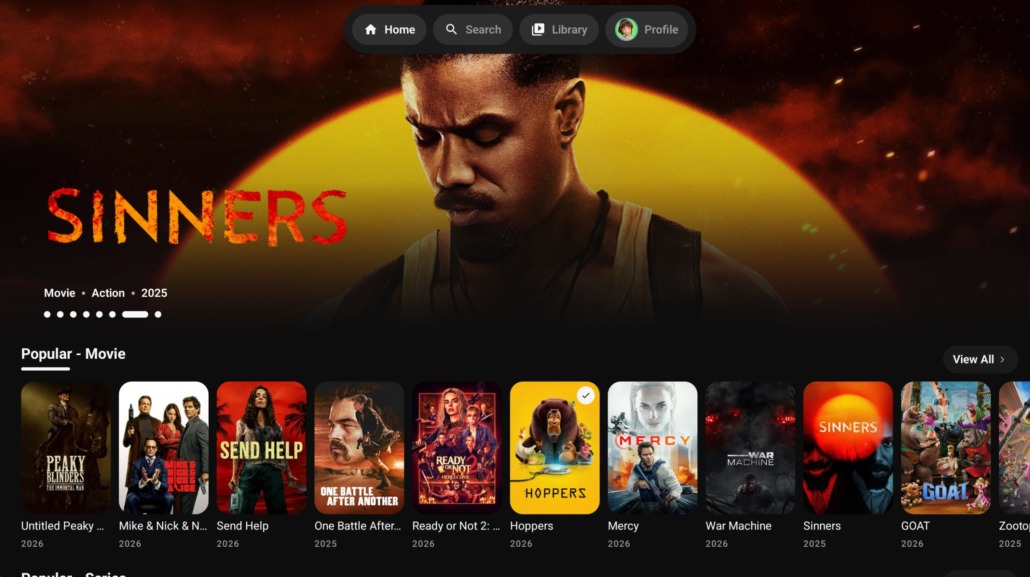
If you are a cord-cutter or home theater enthusiast on the hunt for a fast, modern streaming hub, you have likely heard about the Nuvio App. Promoted via its official portal at nuvio.tv, Nuvio has quickly become one of the most discussed media players across the streaming community.
Designed to aggregate your favorite films and TV series into a slick, Netflix-inspired dark dashboard, Nuvio seamlessly interfaces with third-party extensions and tracking engines like Trakt. However, as with all modular media clients, there are crucial privacy risks, ISP restrictions, and setup tricks you need to understand to stream safely.
Here is your complete, fully fact-checked review of what Nuvio offers, how it works with Real-Debrid, supported platforms, and how to secure your entire streaming setup.
What is the Nuvio App?
Nuvio is an open-source, client-side media organizer and player built from the ground up using Kotlin Multiplatform and Compose Multiplatform. Rather than hosting, serving, or storing any video content on its own servers, Nuvio operates strictly as a front-end management interface.
It allows users to organize personal collections, sync watch states, and resolve streams using community-maintained extensions. Think of it as a ultra-modern alternative to Kodi or Stremio—engineered with fluid remote control navigation and crisp mobile responsive layouts.
Supported Platforms & Ecosystem
Nuvio covers almost every major operating ecosystem through tailored client repositories:
- Android TV / Fire TV / Google TV (
NuvioTV): Built with Kotlin, Jetpack Compose, and TV Material3, optimized specifically for remote control navigation. - Android Mobile & iOS (
NuvioMobile): Fluid touch UI built on Compose Multiplatform. (iOS builds are distributed via TestFlight or sideloadable.ipareleases). - Smart TVs (Samsung Tizen & LG webOS –
NuvioWeb): Packaged web apps (.wgtfor Tizen 2019+ and.ipkfor LG webOS 2020+) deployable via TizenBrew, webOS Homebrew, or the Nuvio WebTV Installer. - Desktop (
NuvioDesktop): Standalone native apps for Windows (.msi), macOS (.dmg), and Linux (.deb).
Key Features & Highlights
- Stremio Addon Engine: Integrates directly with Stremio-compatible manifests, allowing you to combine metadata, video catalogs, and stream links under one roof.
- Trakt.tv Syncing: Keep watch histories, active episode progress, and custom watchlists automatically synced across all your screens.
- Debrid & Resolver Integration: Easily links with high-speed cloud services like Real-Debrid, TorBox, and AllDebrid using Debrid-enabled addons.
- Cross-Device Account Sync: Connect a Nuvio account profile to synchronize your installed extensions, active layouts, and settings across multiple devices.
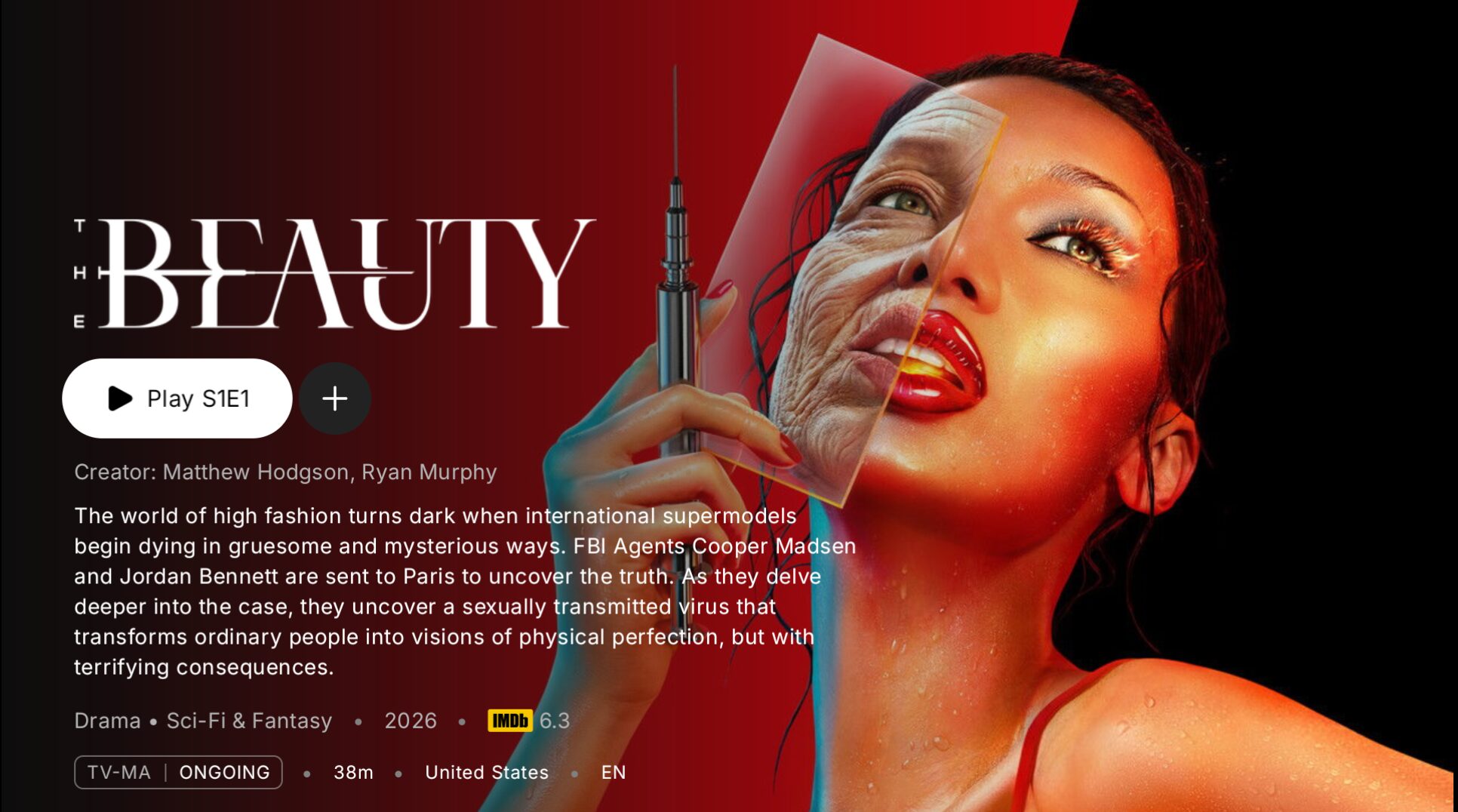
GitHub Version vs. Official App Store Version: Why GitHub Wins
While basic listing pages or third-party wrappers occasionally appear on official mobile stores, downloading official release packages directly from GitHub is strongly recommended.
1. Uncensored Extension Capabilities
App stores impose rigid developer policies that restrict background network fetches and external media-resolving packages. The GitHub release contains fully unrestricted extension resolving support, allowing you to add any valid Stremio manifest URL or community plugin without store censorship.
2. Tailored Big-Screen UI (NuvioTV)
The standalone Android TV build (NuvioTV) on GitHub uses TV-first Material3 components and native AndroidX Media3 / ExoPlayer engines. This guarantees smooth subtitle rendering (including .ass/.ssa files) and native remote-button mapping.
3. Immediate Feature & Security Updates
App store approval queues can delay updates for weeks. Bug fixes, player patches, and new addon integrations are published instantly to GitHub Releases by the core developer team.
Does Nuvio Work With Real-Debrid?
Yes! Nuvio works seamlessly with Real-Debrid.
Because Nuvio processes media links using Stremio-compatible extension manifests, you can configure popular Debrid addons (like Comet, AIOStreams, or MediaFusion) with your Real-Debrid API key and paste the manifest URL directly into Nuvio.
Once added, Nuvio fetches high-speed, cached 4K streams directly from Real-Debrid’s cloud servers—delivering instant playback without buffering or relying on sluggish peer-to-peer seeders.
The Hidden Risks of Modular Media Clients
While Nuvio’s underlying application code is clean, open-source, and legally sound, fetching streams through third-party community extensions introduces critical digital risks:
- Exposed IP Addresses on Direct P2P Streams: Loading streams via community extensions without a Debrid service forces your hardware to establish peer-to-peer (P2P) connections. This broadcasts your public IP address to everyone in the seeder swarm and your Internet Service Provider (ISP).
- ISP Bandwidth Throttling: Telecoms and cable providers actively scan networks for high-volume video streams and P2P traffic. When detected, ISPs automatically drop your bandwidth speeds, causing endless buffering loops.
- Geo-Location Restrictions: Many popular stream sources and catalog extensions are restricted to specific regions. Without a virtual location switcher, links can fail to load or throw playback errors.
- Third-Party Network Snooping: Unencrypted streaming connections on public or home networks leave your digital footprint vulnerable to external monitoring and ad-tracking networks.
The Safe Solution: How to Secure Your Nuvio Setup
To enjoy smooth 4K playback without exposing your digital identity or dealing with artificial speed caps, securing your network connection is an absolute requirement.
1. Protect Your Connection with IPVanish VPN
Whenever you stream content through modular applications like Nuvio, masking your public IP address is essential. A reliable Virtual Private Network (VPN) encrypts your network traffic inside a secure digital tunnel, preventing ISPs, network operators, and third parties from monitoring your habits.
For Firestick, Android TV boxes, mobile devices, and desktop systems, I recommend IPVanish VPN:
- Ultra-Fast Gigabit Speeds: High-bandwidth servers engineered specifically for real-time 4K streaming and zero-buffering playback.
- Strict Zero-Logs Policy: Independently audited policy ensures your browsing history, connection logs, and activity are never recorded.
- Native App Support: Easy-to-install apps for Fire TV, Android TV, iOS, Windows, Mac, and Linux.
- Bypass Geo-Blocks: Seamlessly change your virtual location to unlock global content libraries from anywhere.
2. Pair Extensions with Real-Debrid
Connecting your Nuvio extensions to Real-Debrid processes all downloads on encrypted cloud servers. This hides your personal IP address from torrent swarms while giving you access to uncompressed, high-bitrate video streams.
3. Keep Builds Updated via Official Sources
Always download your Nuvio packages directly from the official Nuvio GitHub organization or nuvio.tv to ensure you are running official, untampered code.
Frequently Asked Questions (FAQs) About Nuvio App
Is Nuvio App free to use?
Yes, Nuvio is completely free and open-source software. There are no mandatory subscriptions or paywalls to unlock core player features.
Is Nuvio App legal and safe?
The Nuvio App itself is 100% legal and safe to install. It is simply a media player interface that contains no hosted content. However, the legality of individual video streams depends on the extensions you install and the content licenses in your country. Always use a VPN to maintain digital privacy.
How do I install add-ons in Nuvio?
You can install add-ons by copying a Stremio manifest URL (e.g., https://.../manifest.json), opening Nuvio’s Extensions / Addons menu, pasting the URL, and clicking Install.
Can I install Nuvio on Samsung Smart TV or LG webOS?
Yes! Nuvio provides packaged web builds (NuvioWeb) for NuvioTV Web officially supports Samsung Tizen TVs from 2019 onward and LG webOS TVs from 2020 onward. You can install them using TizenBrew, webOS Homebrew Channel, or the desktop Nuvio WebTV Installer tool.
Why is my Real-Debrid link buffering or getting an account warning?
Real-Debrid strictly prohibits using one account across multiple public IP addresses simultaneously. If you use Real-Debrid at home and on a mobile network at the same time without a split-tunnel or dedicated VPN setup, your account may receive a security warning.



Leave a Reply
Want to join the discussion?Feel free to contribute!