
Amazon Vega OS: Is Sideloading Officially Dead on New Fire Sticks? (Alternatives & Fixes)
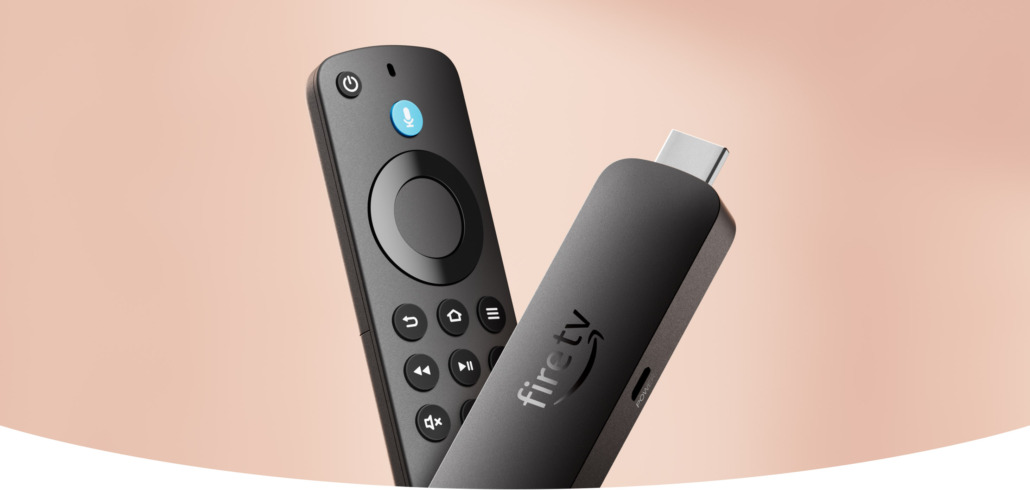
If you just unboxed a brand new Amazon streaming device – like the Fire TV Stick HD (2026) or the Fire TV Stick 4K Select – you are likely staring at your screen in complete frustration. You went to turn on Developer Options, opened the Downloader app to grab your favorite media players, and hit a brick wall.
The “Install Unknown Apps” toggle is completely missing.
This isn’t a glitch, and your device isn’t defective. Amazon has officially begun deploying its proprietary, Linux-based platform called Vega OS, completely ditching the old Android-forked Fire OS.
Here is exactly what this major software shift means for you, why your old .apk files will no longer work, and the best alternative setups to get your streaming freedom back.
Why Sideloading Fails on the New Fire TV Stick (2026 Models)
For over a decade, Fire OS was built on an Android foundation. Because it spoke Android’s programming language, you could download and install mobile package files (.apk) to run specialized, open-source apps. Power users relied on this freedom to install custom media utilities like VLC for Android or the Nova Video Player to stream heavy files from home hard drives, alongside popular third-party tools like SmartTube, Kodi, Streamio or alternative web browsers like TVBro or even Chrome, Firefox and Opera.
Vega OS changes the entire technical architecture:
- Non-Android Core: Vega OS is built on a custom Linux kernel using a React Native framework. It does not possess the Android execution layer.
- Zero APK Recognition: If you attempt to pass an
.apkfile to a Vega OS device, the operating system literally cannot read the code. It is equivalent to trying to run a PlayStation disc on an Xbox. - System Directory Lock: Popular utility apps like Downloader are highly restricted on the new OS. The platform blocks external apps from writing to or executing within system directories.
Note on Developer Mode: While there is a developer bypass listed in Amazon’s official documentation, it requires registering an official Amazon Developer Account and whitelisting your device’s 16-character Serial Number (DSN). Even if you complete this process, you can only install apps natively compiled for Vega OS—you still cannot run Android APKs.
Why Did Amazon Switch to Vega OS?
The transition down to a closed, proprietary operating system was a strategic, multi-billion dollar corporate decision driven by a few distinct priorities:
- Guaranteed Ad Revenue: Amazon often sells hardware near cost. They generate profit on the backend via ad impressions and prime rentals. Removing custom launchers ensures every user remains trapped on their highly monetized home screen.
- Anti-Piracy Compliance: Media conglomerates and copyright holders have consistently pressured hardware manufacturers to police unauthorized streaming. A closed ecosystem removes unofficial IPTV deployment tools completely.
- Hardware Efficiency: Android is resource-heavy. Vega OS is exceptionally lightweight, allowing the new 2026 Fire TV Stick HD to run fluidly on just 1GB of RAM while dropping the traditional wall power plug entirely to run purely off a TV’s built-in USB port.
Best Firestick Alternatives That Still Support Sideloading
If sideloading custom applications, open-source media players, or alternative tools is non-negotiable for your entertainment setup, you need to step away from Amazon’s latest hardware ecosystem.
The following hardware options still utilize an open Android framework, allowing full sideloading freedom via standard developer settings:
1. Walmart Onn 4K Pro / Onn 4K Streaming Box (Best for US / Canada)
The ultimate budget savior for North American cord-cutters. Running on a stock Google TV interface, these devices cost significantly less than high-end sticks while providing full, uninhibited access to Android file structures and easy .apk execution.
2. Xiaomi TV Stick 4K (2nd Gen) & Mi TV Box S (Best Globally / Outside the US)
If you live in Europe, the UK, Asia, or Latin America where Walmart’s hardware isn’t available, Xiaomi completely rules the budget Android ecosystem.
- Xiaomi TV Stick 4K (2nd Gen): A compact plug-and-play HDMI dongle featuring Wi-Fi 6, Android TV, and native 4K Dolby Vision. It is widely available internationally and bypasses all of Amazon’s regional restrictions.
- Xiaomi Mi TV Box S: A robust set-top box style alternative that includes an extra USB port, making it incredibly easy to sideload apps directly from a physical flash drive without even using a download app.
3. NVIDIA Shield TV Pro (The Overall Best Powerhouse)
For the absolute ultimate streaming experience, the NVIDIA Shield TV Pro remains the undefeated king of Android TV hardware. While it carries a premium price tag, it is a permanent, future-proof upgrade.
Driven by a desktop-grade NVIDIA Tegra X1+ processor paired with 3GB of RAM, it handles high-bitrate 4K Plex remuxes, lossless Dolby Atmos passthrough, and heavy gaming emulation with absolute ease. If you want a zero-compromise machine that gives you absolute, unrestricted administrative control over your file directories, this is the device to get.
4. High-End Older Fire TV Stock (For Now)
Premium older models like the Fire TV Stick 4K Max (2nd Gen) and the Fire TV Cube still operate on the old Android-based Fire OS. Amazon has committed to pushing security patches to these platforms through at least 2030, making them viable choices if you prefer Amazon’s interface but still require current sideloading access.
The Corporate Lockdown: Why a Native Fire Stick VPN is Now Mandatory
As tech conglomerates lock down their operating systems and turn streaming devices into closed-fortress ad networks, your personal data is more exposed than ever. On newer Linux-based platforms like Vega OS, you are forced to use the official home screen—meaning Amazon tracks every single app you open, every movie you watch, and every ad you scroll past to build an aggressive advertising profile on your household.
Worse yet, internet service providers (ISPs) heavily analyze your streaming traffic. If you stream high-definition movies or live sports, your ISP will often artificially throttle your connection speeds, causing infuriating buffering loops right in the middle of a game or movie.
Because you can no longer sideload custom privacy tools on newer hardware, using a native, encrypted VPN from the official Amazon Appstore is the absolute only line of defense left to protect your digital identity and secure your streaming habits.
🛡️ Secure Your Network: Exclusive 83% OFF IPVanish VPN Deal
Thankfully, top-tier privacy networks are already ahead of the corporate shifts. IPVanish – consistently rated the absolute best VPN for Firestick and Android TV – has fully rebuilt its architecture to natively support both older Android Fire OS devices and Amazon’s brand-new Linux-based Vega OS platforms straight out of the Appstore.
By running IPVanish on your streaming device, you instantly gain three massive advantages:
- Total Anonymity: Military-grade WireGuard® encryption routes your data through RAM-only servers, completely masking your true IP address from advertisers, tracking scripts, and network snoopers.
- Zero ISP Throttling: By hiding your streaming data from your internet provider, they can no longer see what you are watching, meaning they cannot artificially slow down your connection during peak streaming hours.
- True Global Coverage: Instantly connect to over 2,200 secure servers across 75+ global locations to safely access your home accounts while traveling.
Best of all, a single subscription covers an unmetered number of simultaneous devices, allowing you to protect your TV, phone, laptop, and tablet all at the same time.
👉 Claim your exclusive 83% OFF deal and secure your streaming devices with IPVanish today!
Frequently Asked Questions (FAQ)
Will my older Fire Stick be updated to Vega OS?
No. Amazon has stated that Vega OS is currently deployed on its newer budget-tier hardware, including the 2025 Fire TV Stick 4K Select and the 2026 Fire TV Stick HD. Older Android-based sticks will continue to receive standard security updates on their existing architecture.
Can you jailbreak Vega OS?
As of mid-2026, there are no public consumer exploits, custom ROMs, or software modifications capable of forcing Android application compatibility onto a native Vega OS platform.


Leave a Reply
Want to join the discussion?Feel free to contribute!