
Ditch Plex Bloat: Cinaura Is the Ultimate Serverless Media Player for Android TV
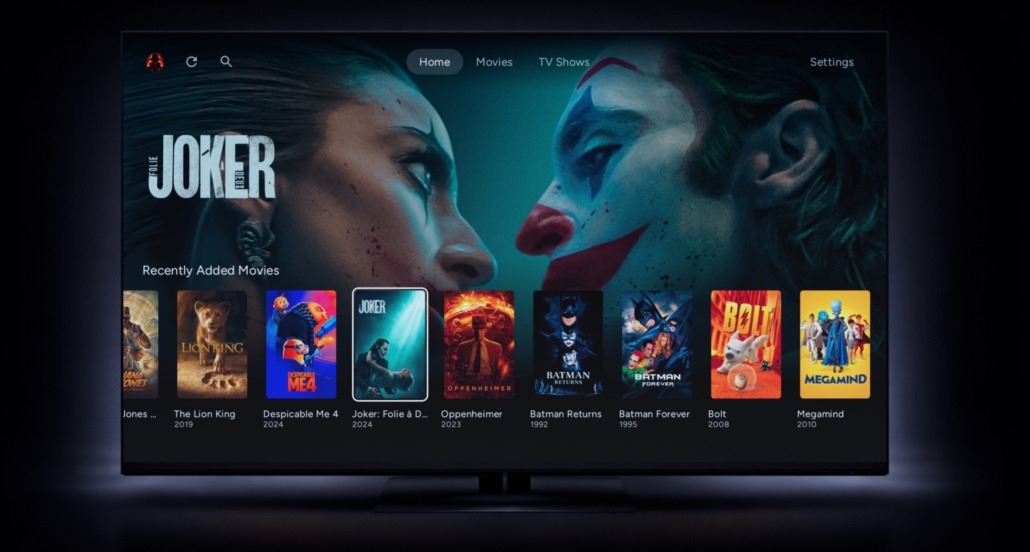
If you are tired of modern media streaming setups cluttered with forced algorithmic recommendations, sponsored content rows, and intrusive ads, an emerging app called Cinaura is taking a refreshing, privacy-first path. Built strictly for the Android TV and Google TV ecosystem, Cinaura focuses entirely on user ownership, content clarity, and zero administrative hassle.
Currently in public beta, this application provides a minimalist, unified interface for people who prefer to manage their own digital media collections without running heavy, energy-consuming backend servers.
What is Cinaura?
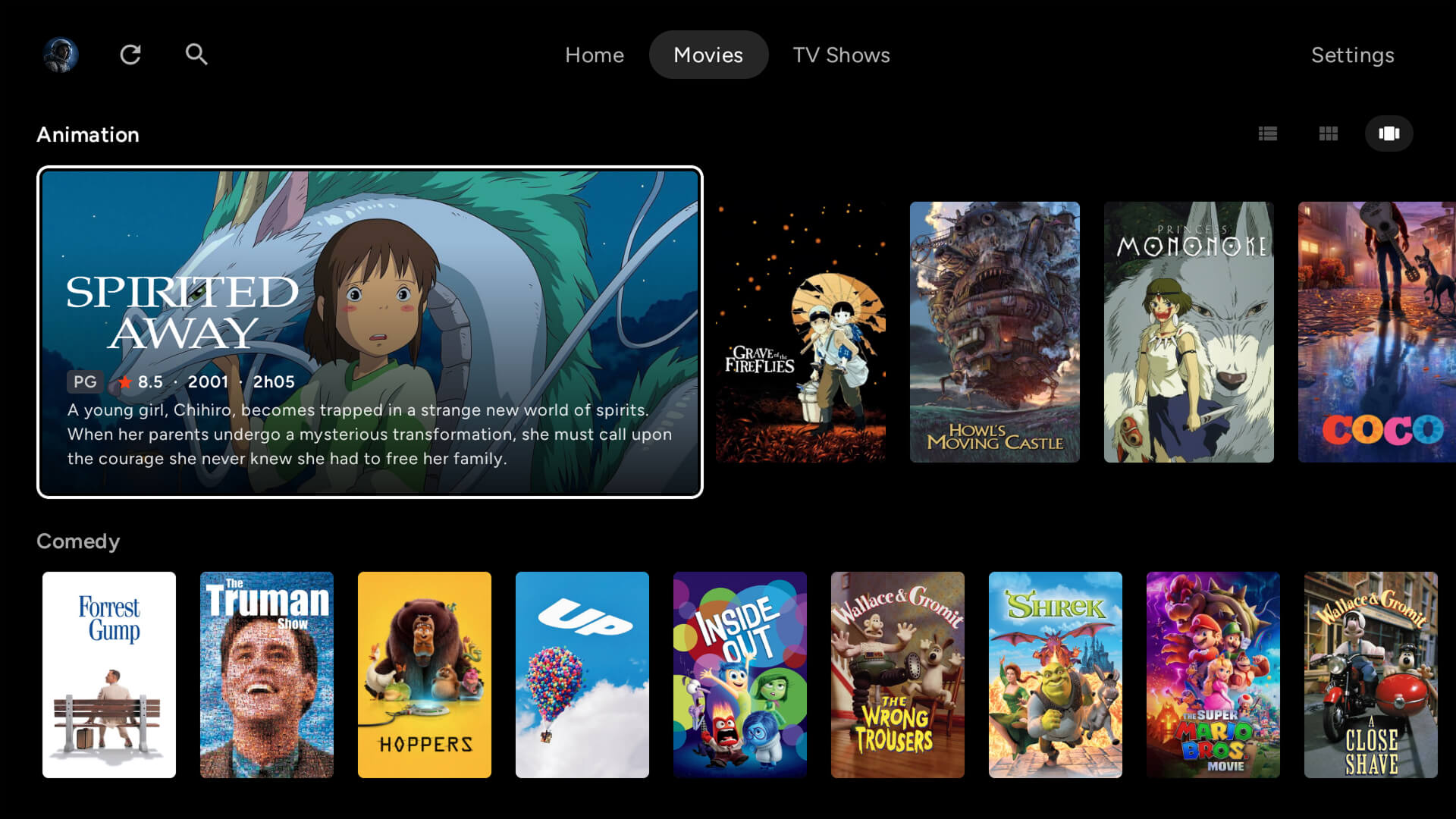
Cinaura is a serverless personal media library application built from the ground up for Android TV devices (such as the Nvidia Shield, Chromecast with Google TV / Google TV Streamer, and Xiaomi Mi Box / TV Stick). Unlike heavy ecosystem alternatives like Plex or Jellyfin, it operates with a completely local mentality. There are no docker containers to spin up, no ports to configure, and absolutely no user account registration required.
Instead of relying on a dedicated home server to run complex backend software, Cinaura connects directly to your existing media endpoints to organize them into one beautiful dashboard in less than two minutes.
The core philosophy of the developer, jrmux, is absolute user autonomy: “Nothing is injected. Nothing is recommended. Nothing appears unless you add it. Your library exists because you decided it should.”
Key Features and Privacy Standards
Cinaura sets itself apart from standard commercial media hubs by enforcing strict privacy guards and eliminating common monetization traps:
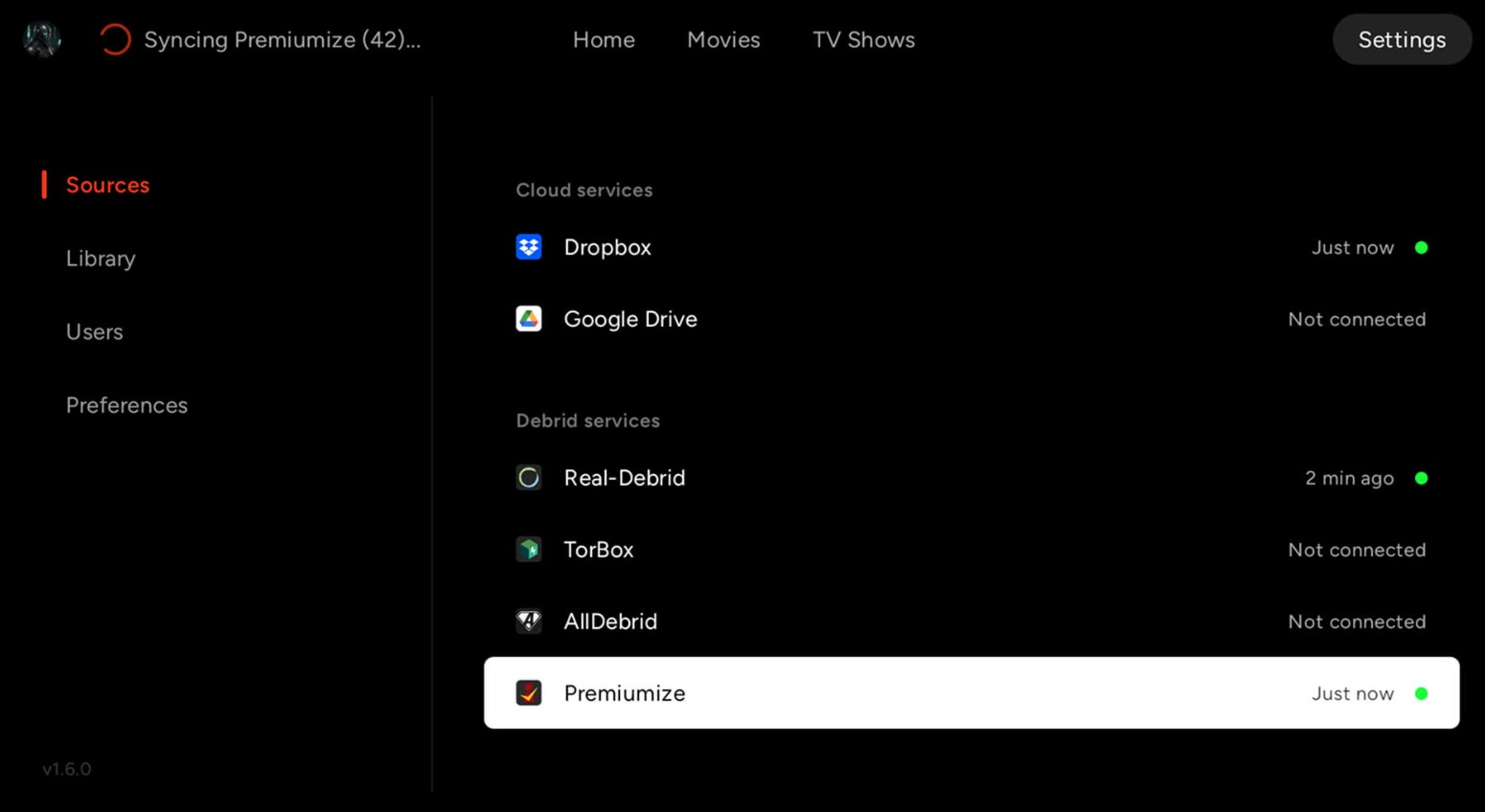
- One Library, Any Source: You can seamlessly combine digital files across local/USB storage, network drives (SMB and WebDAV), cloud storage (Google Drive and Dropbox), and premium debrid services (Real-Debrid, AllDebrid, Premiumize, and TorBox) into one unified library interface.
- Automagically Organized: The app automatically fetches posters, backdrops, cast info, descriptions, ratings, and genres. It even groups franchises and sequels together automatically so your library stays neatly connected.
- 100% Ad-Free & Tracker-Free: The software is completely free with no subscriptions, premium paywalls, third-party advertisements, or hidden analytics tracking scripts.
- Deep Subtitle Customization: Use embedded tracks or pull directly from OpenSubtitles in any language, then fine-tune the size, color, and position to fit your viewing environment.
- Advanced Content & User Controls: Supports native Trakt.tv syncing to scrobble your watch history, multi-user profiles with age-based restrictions, and a “Hidden Content” privacy toggle to keep private libraries out of sight when others browse.
How Cinaura Compares to Plex and Jellyfin
To understand why Cinaura is a game-changer for casual and power users alike, it helps to look at the architectural differences between traditional media layouts and this new serverless approach:
| Feature | Plex | Jellyfin | Cinaura |
| Requires a Server | Yes | Yes | No |
| Account Needed | Yes | Yes | No |
| Pricing | Paid premium tiers | Free | 100% Free |
| Cloud Storage Support | No | No | Yes (Google Drive/Dropbox) |
| Debrid Support | No | No | Yes (Real-Debrid/TorBox/etc.) |
| Setup Time | 30+ Minutes | 30+ Minutes | ~2 Minutes |
| Android TV Native | Yes | Limited | Yes |
How to Install Cinaura on Your Android TV
Because Cinaura is in active development, you can grab the official release directly from the app store or manually test the newest underlying builds provided by the developer.
Option 1: Direct Installation via the Google Play Store
1.Open the Play Store:
On your Android TV or Google TV device, navigate to your apps dashboard and open the official Google Play Store.
2.Search for Cinaura:
Use the search bar and type in Cinaura. Look for the official app listed under the package identifier com.cinaura.tv.
3.Install and Connect Sources:
Click the Install button. Once finished, launch the app, point it to your preferred storage paths or debrid API keys, and your library will assemble instantly.
Option 2: Sideloading the Latest Development Builds
1.Grab the APK:
Head to the official GitHub releases section for jrmux/cinaura-release and download the latest signed APK file to a computer or mobile phone.
2.Transfer the File:
Move the downloaded APK file over to your local Android TV device storage using a USB drive or a wireless file-sharing application.
3.Allow Unknown Sources:
Open your television’s settings menu, go to Security & Restrictions, and toggle on Install unknown apps for your preferred local file manager app.
4.Run the Installer:
Open the local file manager on your TV, click on the transferred Cinaura APK file, and follow the system prompts to finalize the setup.
Technical Specifications: Serverless Media Player for Android TV
The software is perfectly tailored for early adopters who want full stewardship over their playback environments without corporate tracking overhead.
| Attribute | Detail |
| Target Platform | Android TV / Google TV OS (Nvidia Shield, Chromecast, Sony/Xiaomi TV) |
| Package Name | com.cinaura.tv |
| Current Status | Public Beta |
| Official Website & Docs | Cinaura Official Home |
| Official App Link | Google Play Store Entry |
| Development Source | Official GitHub Release Hub |
| Pricing & Monetization | Completely Free (No subscriptions, paywalls, or ads) |
Final Verdict
Because Cinaura is actively in its beta stage, early testers should naturally expect to encounter a few bugs or unpolished corners while performance tweaks are being applied. However, if you want a beautiful, transparent, and deeply respectful layout to centralize your media collection without the headache of managing a Plex home server, it offers a remarkably refreshing alternative. Head over to their official home or the Google Play store to check it out.


Leave a Reply
Want to join the discussion?Feel free to contribute!